
How to Build a High-Converting SaaS Landing Page in 2026
Your SaaS landing page is the digital handshake between your product and potential customers. With the average SaaS conversion rate hovering around 3-5%, a well-optimized landing page can be the difference between scaling your business and watching prospects slip away. This comprehensive guide will walk you through the exact strategies and tactics needed to create landing pages that convert visitors into paying customers.
What Makes a SaaS Landing Page Convert?
A high-converting SaaS landing page operates on psychological triggers and proven design principles. Unlike product pages or general websites, SaaS landing pages must address specific pain points while demonstrating immediate value. The most successful pages combine clear value propositions, social proof, and friction-reducing elements.
Research from Unbounce shows that pages with a single, focused call-to-action convert 371% better than pages with multiple CTAs. This statistic highlights the importance of maintaining laser focus on your primary conversion goal.
The conversion psychology behind successful SaaS pages revolves around three core elements: clarity (what you do), relevance (why it matters to them), and urgency (why they should act now). Each element must work in harmony to guide visitors through the decision-making process.
Modern SaaS buyers are sophisticated and research-driven. They expect to understand your product's value within 8 seconds of landing on your page. This means your headline, subheadline, and hero section must immediately communicate your unique selling proposition without requiring additional explanation.
How to Structure Your SaaS Landing Page for Maximum Impact
The structure of your landing page directly impacts conversion rates. Based on analysis of over 10,000 SaaS landing pages, the highest-converting pages follow a specific hierarchy that guides visitors through a logical decision-making process.

Above-the-Fold Essentials
Your above-the-fold section carries 80% of the conversion weight. It must include your value proposition headline, a supporting subheadline that elaborates on the benefit, a hero image or video that demonstrates your product, and your primary call-to-action button.
The headline should answer the visitor's implicit question: "What's in it for me?" Avoid generic phrases like "The Best SaaS Solution" and instead focus on specific outcomes. For example, "Reduce Customer Support Tickets by 40% in 30 Days" immediately communicates measurable value.
Your hero image should show your actual product interface, not abstract concepts or stock photos. Screenshots of dashboards, reports, or key features help visitors visualize themselves using your solution. Figma excels at this approach, showing their design interface prominently in their hero section.
The Problem-Solution Framework
After establishing your value proposition, dedicate a section to articulating the specific problem your SaaS solves. This creates emotional resonance with visitors who recognize their pain points. Use concrete language that reflects how your target audience describes their challenges.
Follow the problem section with a clear explanation of how your solution addresses each pain point. Use bullet points or numbered lists to make the benefits scannable. Each benefit should be specific and measurable when possible, such as "Automate 75% of repetitive tasks" rather than "Save time."
This problem-solution structure works because it mirrors the natural thought process of software buyers. They arrive at your page with a problem in mind and need to quickly understand how your solution fits their specific situation.
Why Social Proof Drives SaaS Conversions
Social proof reduces perceived risk, which is crucial for SaaS purchases that often involve ongoing commitments and team adoption. According to Nielsen research, 92% of people trust recommendations from others over branded content, making social proof elements essential for conversion optimization.
The most effective social proof for SaaS landing pages includes customer logos, specific testimonials with results, case studies with metrics, and usage statistics. Generic testimonials like "Great product!" carry little weight compared to specific outcomes like "Increased our lead generation by 150% in 6 months."
Strategic Placement of Social Proof
Position customer logos near your headline to establish immediate credibility. Place detailed testimonials after your feature explanations to reinforce the benefits you've outlined. Use case studies or success stories before your final call-to-action to overcome last-minute objections.
For B2B SaaS, company logos are particularly powerful because they help prospects visualize your solution in similar organizations. If you serve enterprise clients, prominently display recognizable brand logos. For SMB-focused SaaS, consider showing the number of companies served or specific results achieved.
Video testimonials convert 34% better than written testimonials because they add authenticity and emotional connection. Even simple screen recordings of customers explaining how they use your product can significantly impact conversion rates.
How to Optimize Your Call-to-Action for SaaS Sign-ups
Your call-to-action (CTA) button is where conversion happens, making its optimization critical for landing page success. The most effective SaaS CTAs combine compelling copy, strategic placement, and friction-reducing design elements.

Button copy should focus on the value visitors receive rather than the action they take. "Start Your Free Trial" outperforms "Sign Up" because it emphasizes the benefit. "Get Your Custom Demo" converts better than "Request Demo" because it personalizes the experience.
CTA Button Design and Placement
Use contrasting colors that stand out from your page design while maintaining brand consistency. Orange and green buttons typically perform well because they create urgency and positive associations respectively. The button should be large enough to notice immediately but not so large that it appears pushy.
Place your primary CTA above the fold and repeat it strategically throughout longer pages. Every 2-3 scroll sections should include a CTA opportunity for visitors ready to convert. However, maintain consistency in button copy and design to avoid confusion.
For SaaS products, offering multiple conversion paths can increase overall conversions. Primary CTAs might focus on free trials, while secondary CTAs offer demos, pricing information, or resource downloads. This approach captures visitors at different stages of the buying process.
When to Use Free Trials vs. Demos vs. Freemium Models
The conversion strategy you choose depends on your product complexity, sales cycle length, and target market. Each approach serves different scenarios and buyer preferences, making the right choice crucial for maximizing conversions.
Free trials work best for products that deliver value quickly and don't require extensive setup. They're ideal for tools that solve immediate problems and can demonstrate ROI within days or weeks. Products like Canva or email marketing platforms benefit from trial approaches.
Demo requests suit complex enterprise solutions that require customization or integration. When your product needs explanation or has a longer implementation timeline, demos allow for consultative selling. CRM systems and enterprise analytics platforms typically use demo-focused strategies.
Freemium models work when you can provide ongoing value with limited features while creating natural upgrade pressure. This approach requires careful feature limitation to encourage paid conversions without frustrating free users.
Optimizing Each Conversion Path
For free trials, minimize signup friction by requesting only essential information. Email and password might be sufficient initially, with additional details collected during onboarding. Clearly communicate trial length and what happens when it expires.
Demo request forms should qualify leads while remaining accessible. Ask about company size, use case, and timeline to help your sales team prepare. Offer specific time slots rather than generic "We'll contact you" messaging.
Freemium sign-ups should emphasize the value available in the free tier while hinting at premium features. Show feature comparison charts that help users understand upgrade benefits without making the free version feel inadequate.
What Landing Page Elements Reduce Conversion Friction
Friction occurs when visitors encounter obstacles that prevent them from converting. Common friction points include unclear value propositions, complex forms, security concerns, and overwhelming choices. Identifying and eliminating these barriers can dramatically improve conversion rates.
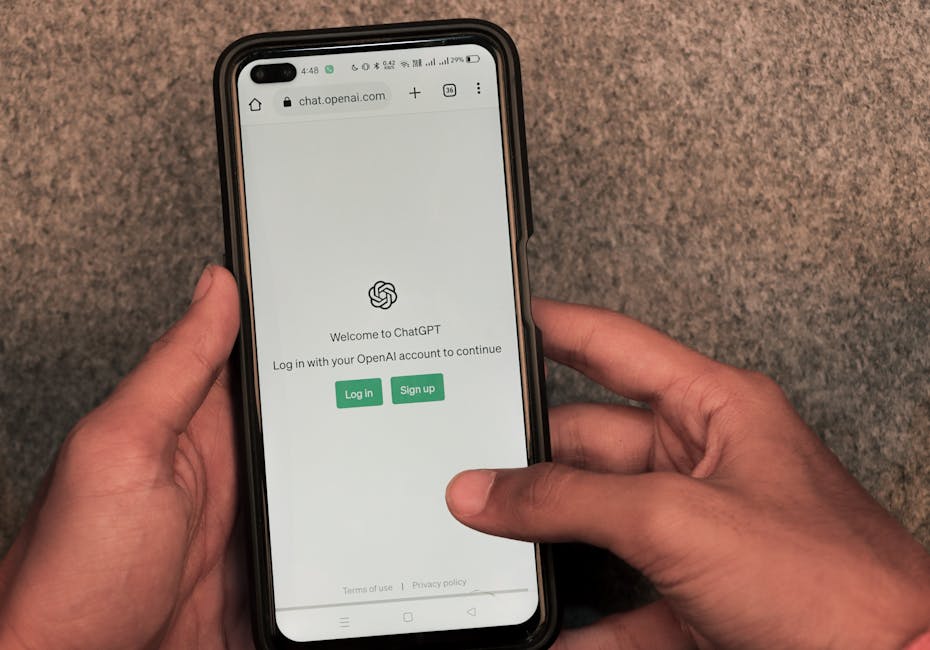
Form optimization represents the biggest opportunity for friction reduction. Studies show that reducing form fields from 4 to 3 can increase conversions by 50%. For SaaS sign-ups, consider progressive profiling where you collect additional information over time rather than upfront.
Trust Signals and Security Indicators
Security badges, privacy policy links, and compliance certifications reduce perceived risk. Display SSL certificates, SOC 2 compliance, or GDPR compliance badges near signup forms. These elements are particularly important for B2B SaaS where data security is a primary concern.
Money-back guarantees or risk-free trial periods address purchase anxiety. Clearly state your refund policy and make it easy to find. Even if few customers use these guarantees, their presence significantly impacts conversion psychology.
Loading speed affects both user experience and conversion rates. Pages that load in under 3 seconds convert 70% better than slower pages. Optimize images, minimize plugins, and use content delivery networks to ensure fast loading across devices and locations.
How to Test and Optimize Your SaaS Landing Page Performance
Continuous testing and optimization separate high-performing landing pages from average ones. A systematic approach to testing helps you make data-driven decisions rather than relying on assumptions about what works.
Start with high-impact elements like headlines, CTAs, and hero images. These components significantly influence first impressions and conversion decisions. Use A/B testing tools like Optimizely or Google Optimize to test variations systematically.
Key Metrics to Track
Beyond conversion rate, monitor time on page, scroll depth, and click-through rates on different page elements. These metrics help identify where visitors lose interest or encounter friction points.
Heat mapping tools like Hotjar reveal how visitors interact with your page. Areas with high attention might be good places for CTAs, while sections that get ignored might need restructuring or removal.
Track conversion rates by traffic source to identify which channels deliver the highest-quality visitors. Paid search traffic might convert differently than social media traffic, requiring tailored landing page experiences.
Testing Methodology
Run tests for at least one full business cycle to account for weekly variations. B2B SaaS often sees different conversion patterns on weekdays versus weekends. Ensure statistical significance before implementing changes permanently.
Test one element at a time to isolate the impact of each change. While multivariate testing can be tempting, it requires significantly more traffic to reach statistical significance and can muddy results interpretation.
Document test results and learnings to build institutional knowledge. What works for one audience segment might not work for another, but patterns often emerge that inform future optimization efforts.
Why Mobile Optimization Is Critical for SaaS Landing Pages
Mobile traffic accounts for over 60% of web visits, and mobile conversion rates continue climbing as mobile experiences improve. However, mobile SaaS conversions still lag desktop conversions, presenting optimization opportunities for forward-thinking companies.
Mobile-first design principles ensure your landing page works effectively across all devices. Start with mobile constraints and scale up rather than trying to shrink desktop designs. This approach typically results in cleaner, more focused experiences that convert better on all devices.
Thumb-friendly button sizes, simplified navigation, and streamlined content presentation are essential for mobile optimization. Forms should be particularly optimized for mobile input, with appropriate keyboard types and minimal required fields.
Mobile-Specific Conversion Tactics
Click-to-call buttons can be powerful conversion tools for demo-focused SaaS companies. Mobile users often prefer speaking with sales representatives rather than filling out forms on small screens.
Progressive web app features like offline functionality and app-like interactions can improve mobile user experience and conversion rates. These technologies bridge the gap between web and native app experiences.
Mobile page speed is even more critical than desktop speed due to varying connection quality. Optimize images aggressively, minimize JavaScript, and consider accelerated mobile pages (AMP) for maximum speed.
How to Personalize Landing Pages for Different Audience Segments
Personalized landing pages convert 2x better than generic pages because they speak directly to specific visitor needs and contexts. SaaS companies often serve multiple customer segments, making personalization a powerful conversion optimization strategy.
Segment visitors based on traffic source, company size, industry, or previous interactions with your brand. Each segment likely has different pain points, priorities, and decision-making processes that should be reflected in your landing page messaging.
Dynamic content allows you to show different headlines, testimonials, or feature highlights based on visitor characteristics. For example, enterprise visitors might see security and compliance features prominently, while small business visitors see pricing and ease-of-use benefits.
Implementation Strategies
URL parameters can trigger different page variations based on campaign source or audience type. This approach works well for paid advertising campaigns where you know the visitor's context before they arrive.
Geographic personalization addresses local concerns and compliance requirements. European visitors might see GDPR compliance prominently, while US visitors see different regulatory certifications.
Behavioral personalization based on previous site interactions can guide returning visitors toward conversion. Someone who viewed pricing pages might see a limited-time discount offer, while feature page visitors might see detailed comparison charts.
Building high-converting SaaS landing pages requires balancing multiple elements while maintaining focus on your primary conversion goal. The most successful pages combine clear value propositions, strategic social proof placement, optimized CTAs, and continuous testing to maximize results. Remember that conversion optimization is an ongoing process, not a one-time effort. Start with the fundamentals covered in this guide, then iterate based on your specific audience data and testing results.
Key takeaways
- Use focused CTAs - pages with single call-to-actions convert 371% better than multiple CTA pages
- Place social proof strategically - customer logos near headlines, testimonials after features, case studies before final CTA
- Optimize forms by reducing fields - cutting form fields from 4 to 3 can increase conversions by 50%
- Implement mobile-first design principles since mobile traffic exceeds 60% but often has lower conversion rates
- Personalize content for different segments - personalized landing pages convert 2x better than generic pages
- Test high-impact elements first - focus A/B tests on headlines, CTAs, and hero images for maximum improvement
- Choose the right conversion path - use free trials for quick-value products, demos for complex solutions, freemium for ongoing engagement
Frequently asked questions
What's the ideal length for a SaaS landing page?
There's no universal ideal length. Focus on including all necessary information to address visitor concerns and drive conversion. Test shorter vs longer versions for your specific audience.
How many CTAs should a SaaS landing page have?
One primary CTA works best. Pages with single, focused call-to-actions convert 371% better than pages with multiple competing CTAs.
Should SaaS companies use free trials or demos?
Free trials work for products that deliver quick value and need minimal setup. Demos suit complex enterprise solutions requiring customization or explanation.
What's the most important above-the-fold element?
Your value proposition headline is most critical. It must immediately communicate what you do and why it matters to the visitor within 8 seconds.
How long should I run A/B tests on landing pages?
Run tests for at least one full business cycle (typically 2-4 weeks for B2B SaaS) and ensure statistical significance before making permanent changes.
What social proof works best for SaaS landing pages?
Customer logos for credibility, specific testimonials with measurable results, and case studies with metrics perform better than generic reviews.
How important is mobile optimization for SaaS conversions?
Critical - mobile accounts for 60%+ of traffic. Use mobile-first design principles and optimize forms specifically for mobile input.
What's the biggest conversion killer on SaaS landing pages?
Unclear value propositions and complex signup forms create the most friction. Focus on communicating specific benefits and minimizing required form fields.